Cauldron Chaos
Cauldron Chaos is a goofy alchemy simulator in a similar vein to overcooked. Play as the “Apprentice” taking care of the potion shop after the master alchemist takes a spontaneous vacation. Brew potions, make the quota, and for the love of god remember to feed the goblin!
Cauldron Chaos is a team project I worked on as part of my final game development project at NSCC. The game is a collaborative effort between me and the rest of the student in the informal “Studio CLAMS”. My role in the project was Audio Designer, handling all the sounds and music for the game as well as any coding relating to those aspects. I also provided support programming and prototyping for the Lead Programmer Adrian Dorey.
Audio Editing
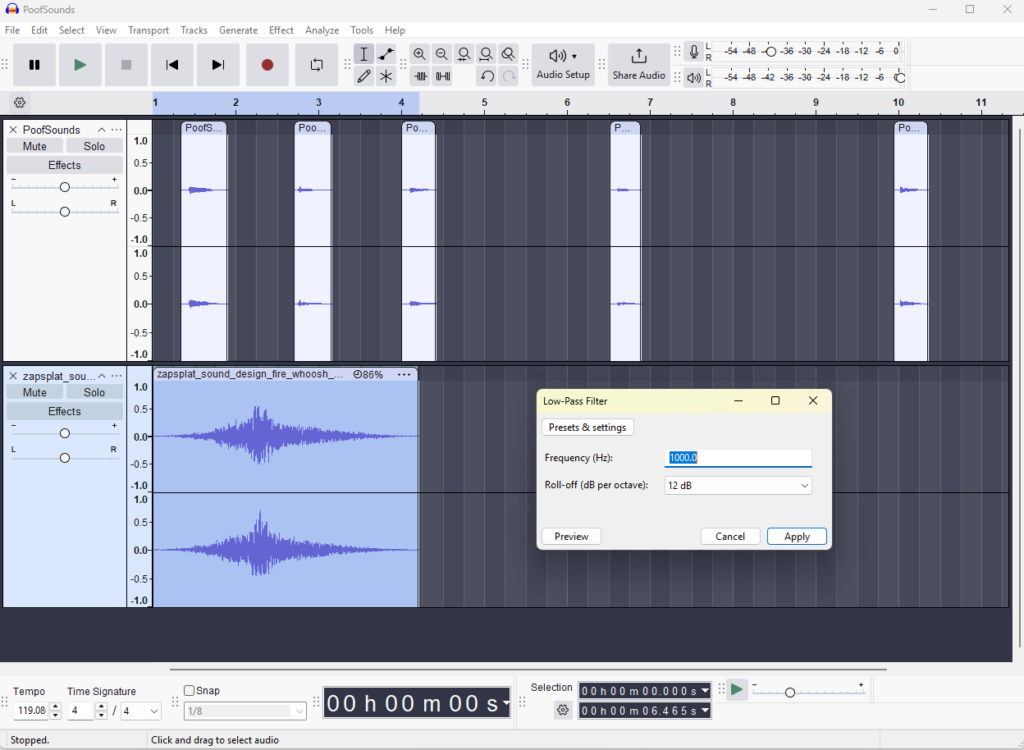
The bulk of my work on Cauldon Chaos was audio planning, and editing. My workflow largely followed these steps:
- Plan out what I’m looking for and record it in the project GDD.
- Find source song, samples, or SFX online.
- Edit base sounds and music into a version that meets the requirements and sound scape of the project.
- Implement SFX or music into the game.
Static Instance Managers
As part of my programming efforts recently I’ve been implementing important managers that are often in memory as static instances. This allows for easy access to them with low performance costs. I’ve included the code I used to do this with the Audio Manager in the code snippet on the left.
				private static AudioManager _instance;

//function that checks if Instance exists and spawns one if it does not
public static AudioManager instance
{
    get
    {
        if (_instance != null) return _instance;

        _instance = FindObjectOfType<AudioManager>(); // Try to find an existing AudioManager in the scene

        //check if Instance is null
        if (_instance != null) return _instance;

        // If no Instance exists, instantiate it
        _instance = Instantiate(Resources.Load("AudioManager") as GameObject).GetComponent<AudioManager>();
        _instance.name = "AudioManager";

        return _instance;
    }
}

// Awake is called before the first frame update and before start
void Awake()
{
    // Now checks if there is an instance and if that instance is not this before destroying the object.
    if (_instance != null && _instance != this)
    {
        Destroy(gameObject); // Ensures only duplicates are destroyed
        return;
    }

    _instance = this;
    DontDestroyOnLoad(gameObject);
}
Custom SFX Players
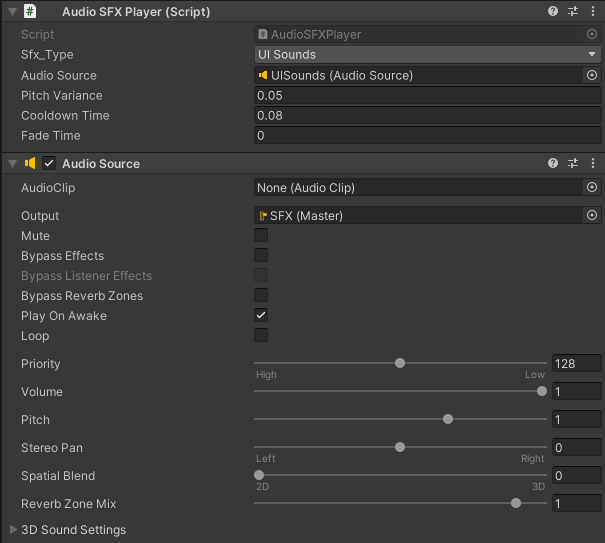
To give myself more control over how SFX are played in the game I made script to handle managing some important properties related to audio playing. This script made it so I could vary the pitch of a sound effect type automatically, give a sound effect type a cooldown time, as well as specify fade out times for a sound effect type.