
Dark Corners
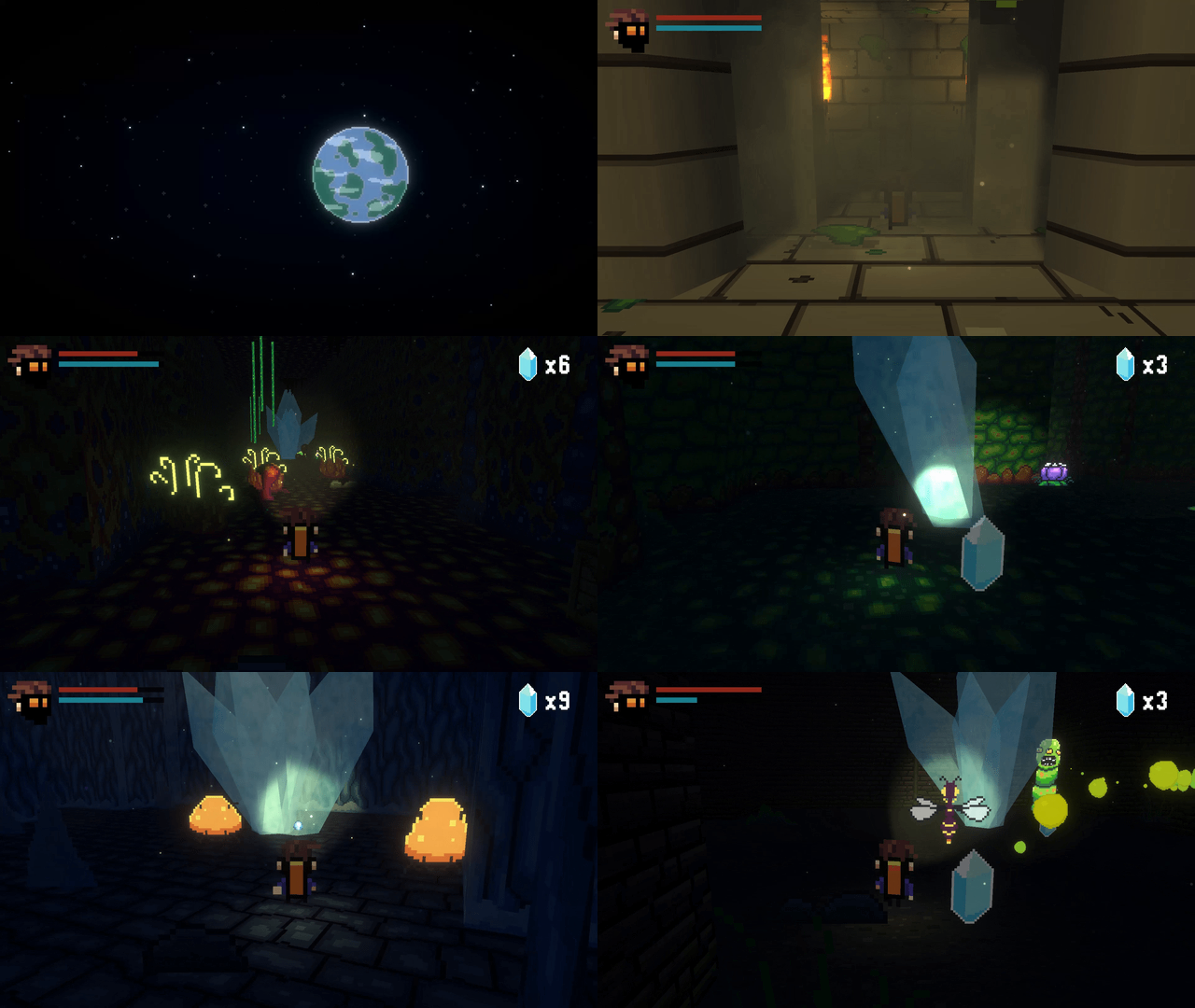
Dark Corners is a game developed by Cosmocat which is still in the early stages of development. At current you play as an space faring explorer delving into caves to get crystals to make it to the next system.
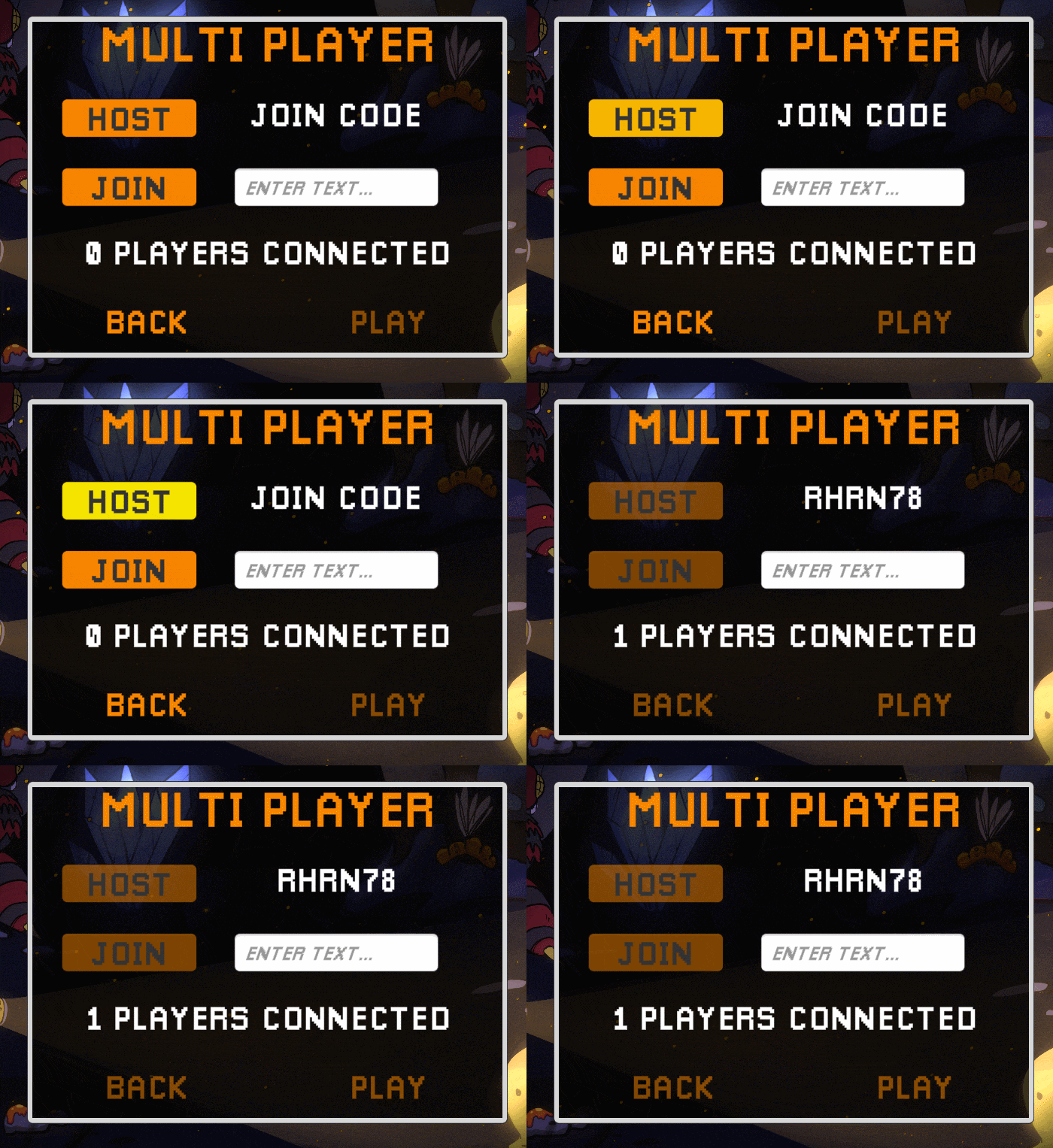
Dark Corners is a game I worked on as part of my internship with Cosmocat. The game is still in the early stages of development, so I was charged with adapting the game to work with Unity’s Netcode for Game Objects. I developed a prototype version of the game that allows for multiplayer using netcode and Unity’s relay system. Below I go into more details with some of the stuff I did.
Unity Relay
When setting up “pier to pier” connections, the first hurtle to solve is figuring out how to handle the network hole punch to allow for direct connections; Thankfully, Unity Relay service makes this process seamless. It allows for easy calls to a connection server to handle this and returns a connection code to the user to simplify their experience.
Using Unity’s documentation for the service I made a connections handler to handle the functionality for player connections.
				using System.Collections;
using System.Collections.Generic;
using UnityEngine;
using TMPro;
using Unity.Services.Core;
using Unity.Services.Authentication;
using System.Threading.Tasks;
using Unity.Netcode;
using Unity.Services.Relay;
using Unity.Netcode.Transports.UTP;
using Unity.Services.Relay.Models;
using UnityEngine.UI;
using WebSocketSharp;

public class ConnectionManager : NetworkBehaviour
{
    [System.Serializable]
    public enum ConnectionType
    {
        udp, //standard Unity connection type
        dtls, //encrypted Unity connection type
        wss //web-socket Unity connection type
    }

    [Header("Connection Settings")]
    [SerializeField] private int maxConnections = 4;
    [SerializeField] private ConnectionType connectionType;
    private string connectionString;

    [Header("UI Refrences")]
    public TextMeshProUGUI joinCodeDisplay;
    public TMP_InputField joinCodeInputField;
    public TextMeshProUGUI connectedPlayersDisplay;
    public Button playButton;
    public Button backButton;
    public Button hostButton;
    public Button clientButton;

    [SerializeField] private NetworkVariable<ushort> connectedPlayers = new NetworkVariable<ushort>(
        0,
        NetworkVariableReadPermission.Everyone,
        NetworkVariableWritePermission.Server
        );

    private void OnEnable()
    {
        NetworkManager.Singleton.OnClientConnectedCallback += UpdateConnectedPlayers;
        NetworkManager.Singleton.OnClientDisconnectCallback += UpdateConnectedPlayers;
    }

    private void OnDisable()
    {
        NetworkManager.Singleton.OnClientConnectedCallback -= UpdateConnectedPlayers;
        NetworkManager.Singleton.OnClientDisconnectCallback -= UpdateConnectedPlayers;
    }

    private void Update()
    {
        if (connectedPlayersDisplay != null)
        {
            //Debug.Log(connectedPlayers.Value);
            connectedPlayersDisplay.text = connectedPlayers.Value + " Players Connected";
        }

        if (connectedPlayers.Value > 1 && !playButton.interactable && NetworkManager.Singleton.IsHost)
        {
            playButton.interactable = true;
        }
    }

    public async void StartHost()
    {
        Debug.Log("Start Host Called");
        switch (connectionType)
        {
            case ConnectionType.udp:
                connectionString = "udp";
                break;

            case ConnectionType.dtls:
                connectionString = "dtls";
                break;

            case ConnectionType.wss:
                connectionString = "wss";
                break;

            default:
                connectionString = "udp";
                break;
        }

        if (joinCodeDisplay != null)
        {
            await StartHostWithRelay(maxConnections, connectionString);
        }
        DisableButtons();
    }

    public async void StartClient()
    {
        switch (connectionType)
        {
            case ConnectionType.udp:
                connectionString = "udp";
                break;

            case ConnectionType.dtls:
                connectionString = "dtls";
                break;

            case ConnectionType.wss:
                connectionString = "wss";
                break;

            default:
                connectionString = "udp";
                break;
        }
        if (joinCodeInputField != null)
        {
            if(await StartClientWithRelay(joinCodeInputField.text, connectionString))
            {
                DisableButtons();
            }
        }
    }

    public void DisableButtons()
    {
        if (playButton == null || backButton == null || hostButton == null || clientButton == null) return;

        Debug.Log("Disabling Buttons");

        playButton.interactable = false;
        backButton.interactable = false;
        hostButton.interactable = false;
        clientButton.interactable = false;
    }

    public void UpdateConnectedPlayers(ulong clientID)
    {
        if (NetworkManager.Singleton.IsServer)
        {
            Debug.Log("Updating Connected Players");
            connectedPlayers.Value = (ushort)NetworkManager.Singleton.ConnectedClients.Count;
        }
    }

    //from Unity Documentation https://docs.unity.com/ugs/en-us/manual/relay/manual/relay-and-ngo
    public async Task<string> StartHostWithRelay(int maxConnections, string connectionType)
    {
        await UnityServices.InitializeAsync();

        if (!AuthenticationService.Instance.IsSignedIn)
        {
            await AuthenticationService.Instance.SignInAnonymouslyAsync();
        }

        var allocation = await RelayService.Instance.CreateAllocationAsync(maxConnections);

        NetworkManager.Singleton.GetComponent<UnityTransport>().SetRelayServerData(AllocationUtils.ToRelayServerData(allocation, connectionType));
        var joinCode = await RelayService.Instance.GetJoinCodeAsync(allocation.AllocationId);
        joinCodeDisplay.text = joinCode;

        return NetworkManager.Singleton.StartHost() ? joinCode : null;
    }

    //from Unity Documentation https://docs.unity.com/ugs/en-us/manual/relay/manual/relay-and-ngo
    public async Task<bool> StartClientWithRelay(string joinCode, string connectionType)
    {
        if(joinCode.IsNullOrEmpty()) return false;

        await UnityServices.InitializeAsync();
        if (!AuthenticationService.Instance.IsSignedIn)
        {
            await AuthenticationService.Instance.SignInAnonymouslyAsync();
        }

        var allocation = await RelayService.Instance.JoinAllocationAsync(joinCode: joinCode);
        NetworkManager.Singleton.GetComponent<UnityTransport>().SetRelayServerData(AllocationUtils.ToRelayServerData(allocation, connectionType));
        return !string.IsNullOrEmpty(joinCode) && NetworkManager.Singleton.StartClient();
    }
}
Sprite Swapping
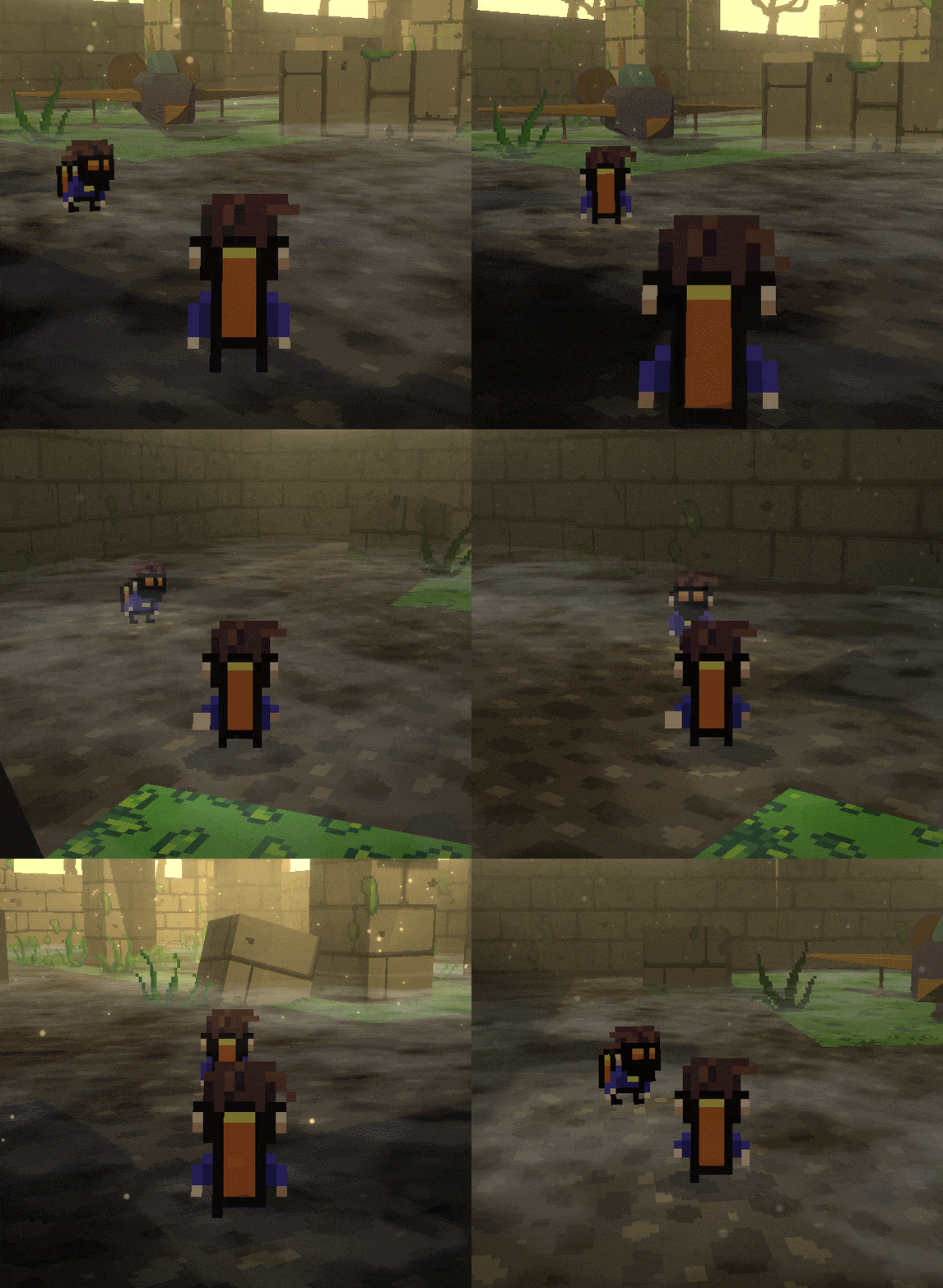
Allowing players to see each other while keeping the billboarded sprites was a challenge to be solved for this game. To do this I changed how the player’s sprite and animations worked. Rather than using Unity’s animation system directly on the sprite, it was changed to use a sprite resolver. This allows for the sprite to be swapped during animations.
Using a little simple math utilizing cross products I can figure out what the angel between the camera and the viewed object is and use that to determine which sprite needs to be used.
				public class DirectionalBillboard : MonoBehaviour
{
    private enum RelativePosition
    {
        front,
        back,
        right,
        left
    }

    [Header("References")]
    [SerializeField] private Transform targetObject;
    [SerializeField] private SpriteResolver spriteResolver;
    [SerializeField] private SpriteRenderer spriteRenderer;

    [Header("Sprite Libraries")]
    [SerializeField] private SpriteLibraryAsset frontLibrary;
    [SerializeField] private SpriteLibraryAsset backLibrary;
    [SerializeField] private SpriteLibraryAsset rightLibrary;
    [SerializeField] private SpriteLibraryAsset leftLibrary;

    //player reference
    private RelativePosition relativePosition;
    private RelativePosition lastRelativePosition;

    // Update is called once per frame
    void Update()
    {
        //Billboard sprite towards camera
        transform.LookAt(Camera.main.transform);

        GetRelativePosition();

        //don't execute further logic if no change in relative position
        if (lastRelativePosition == relativePosition) return;

        spriteRenderer.flipX = false;
        switch (relativePosition)
        {
            case RelativePosition.front:
                spriteResolver.spriteLibrary.spriteLibraryAsset = frontLibrary;
                break;

            case RelativePosition.back:
                spriteResolver.spriteLibrary.spriteLibraryAsset = backLibrary;
                break;

            case RelativePosition.right:
                spriteResolver.spriteLibrary.spriteLibraryAsset = rightLibrary;
                break;

            case RelativePosition.left:
                spriteResolver.spriteLibrary.spriteLibraryAsset = leftLibrary;
                spriteRenderer.flipX = true;
                break;
        }
    }

    private void GetRelativePosition()
    {

        //determine signed angle between object and client player
        float angle = Vector3.Angle(targetObject.forward, Camera.main.transform.forward);
        Vector3 cross = Vector3.Cross(targetObject.forward, Camera.main.transform.forward);
        if (cross.y < 0) angle = -angle;

        //Debug.Log(angle);
        lastRelativePosition = relativePosition;

        if (angle >= -45 && angle < 45)
        {
            relativePosition = RelativePosition.back;
        }
        else if (angle >= 45 && angle < 135)
        {
            relativePosition = RelativePosition.right;
        }
        else if (angle >= -135 && angle < -45)
        {
            relativePosition = RelativePosition.left;
        }
        else if (angle >= 135 || angle < -135)
        {
            relativePosition = RelativePosition.front;
        }
    }
}