
GISH
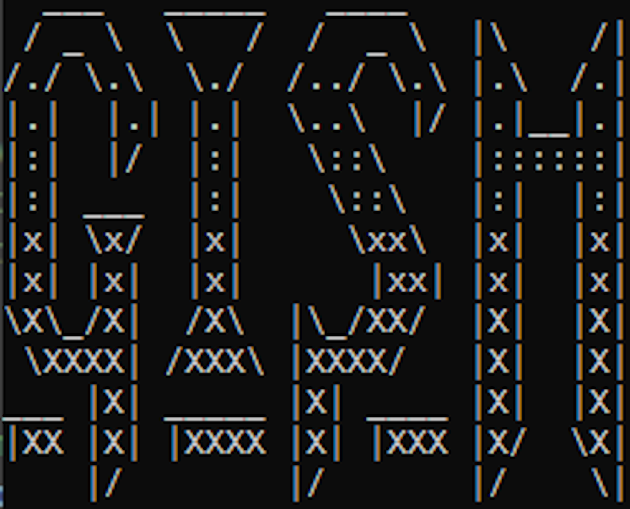
GISH is a “Text RPG” using a similar format to old computer games like “Rogue”, “Moria”, or “NetHack”. In this game you control a Gish Warrior, a powerful warrior and mage. You have to try to escape the ancient dungeon you’ve found yourself in or die in the attempt.
*Note: This game only works on the Windows 10 terminal or earlier because of the reduced permissions of the Windows 11 version.
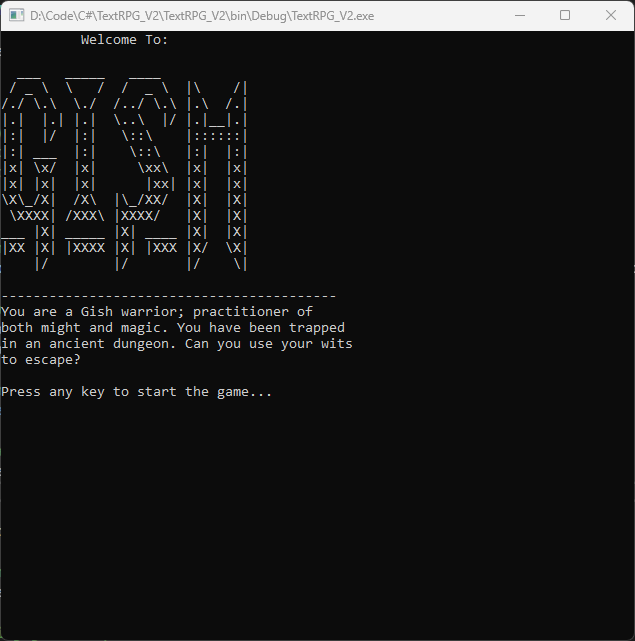
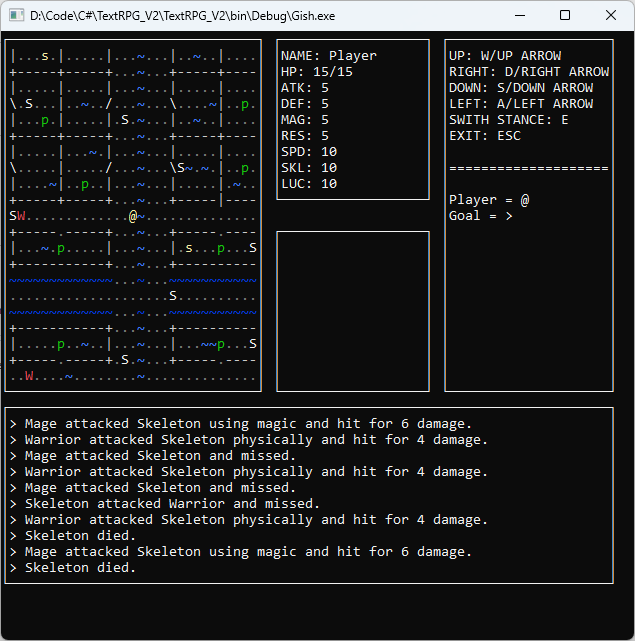
GISH was a solo project I made as part of my object oriented programming course. Everything in the game from map loading to enemy AI was made by scratch in the C# coding language. This game was a good project to really stretch my programming muscles and helped me gain an appreciation for all the work that go into even “simple” game aspects like cameras. Below I go into some more details on what I’m proud of with this project.
Initiative System
For the game I created an initiative system that allows entities to take turns according to their speed. This allows faster entities to take more turns. The code block to the side shows how I did this.
				/// <summary>
/// Method that instructs the EntityTurn to go through its update process.
/// </summary>
/// <param name="map">the map the game is on</param>
/// <param name="uIManager">the manager for the game UI</param>
/// <param name="itemManager">the manager for the items on the map</param>
/// <param name="entityManager">the manager for entities on the map</param>
/// <returns></returns>
public bool Update(Map map, UIManager uIManager, ItemManager itemManager, EntityManager entityManager)
{
    //adding speed to build up the Entity's turn
    turnBuildup += entity.spd.GetStat();

    while (turnBuildup >= GlobalVariables.actionThreshold)
    {
        //update UI for player
        if (entity == entityManager.GetPlayer())
        {
            uIManager.DrawUI(map);
        }

        //checks if player is standing on the exit tile
        if (map.GetTile(map.GetEntityIndex(entityManager.GetPlayer())).GetExit())
        {
            return true;
        }

        //adds events of the turn to the log (if the events were notable)
        uIManager.AddEventToLog(TakeAction(map, uIManager, itemManager));

        //check if entity takes damage from tile
        if (map.GetTile(map.GetEntityIndex(entity)).GetDangerous())
        {
            uIManager.AddEventToLog(map.GetTile(map.GetEntityIndex(entity)).DealDamage(entity));
        }

        //gets the entity manager to check for dead enemies
        entityManager.CheckDeadEntities(map, uIManager);
    }

    return false;

}
Camera System
I created a camera object for my game to enable having a standard screen size. This also allows to game to only partially display the map, helping with performance and readability of the game.
				/// <summary>
/// Function that draws the game world to the UI
/// </summary>
/// <param name="map">The map that the game plays in</param>
/// <param name="startPosCol">The y position at which to start drawing the gameplay UI</param>
/// <param name="startPosRow">The x position at which to start drawing the gameplay UI</param>
public void DrawGamePlay(Map map, int startPosCol, int startPosRow)
{
    int[] targetIndex = map.GetEntityIndex(target);
    int j, i;

    //draw top border
    Console.SetCursorPosition(startPosCol, startPosRow);
    Console.ForegroundColor = ConsoleColor.White;
    Console.Write("┌");
    for (i =0; i<GlobalVariables.cameraWidth; i++)
    {
        Console.Write('─');
    }
    Console.Write('┐');

    //drawing contents of map
    j = 0;
    for (int y = -(GlobalVariables.cameraHeight/2); y <= (GlobalVariables.cameraHeight/2); y++)
    {
        j++;

        //print border
        Console.SetCursorPosition(startPosCol, startPosRow + j);
        Console.ForegroundColor = ConsoleColor.White;
        Console.Write('│');

        //print map
        for (int x = -(GlobalVariables.cameraWidth/2); x <= (GlobalVariables.cameraWidth/2); x++)
        {
            //get index
            int yPos = y + targetIndex[0];
            int xPos = x + targetIndex[1];

            //check if in boundaries of map
            if ((yPos >= 0 && yPos < map.GetHeight()) && (xPos >= 0 && xPos < map.GetWidth()))
            {
                int[] index = { yPos, xPos };
                Console.ForegroundColor = map.GetTopColor(index);
                Console.Write(map.GetTopSymbol(index));
            }
            //not in boundaries, print space
            else
            {
                Console.Write (' ');
            }
        }

        //print border
        Console.ForegroundColor = ConsoleColor.White;
        Console.Write('│');
    }

    //draw bottom border
    Console.SetCursorPosition(startPosCol, startPosRow + j + 1);
    Console.ForegroundColor = ConsoleColor.White;
    Console.Write('└');
    for (i = 0; i < GlobalVariables.cameraWidth; i++)
    {
        Console.Write('─');
    }
    Console.Write('┘');

}